
Print it anytime.
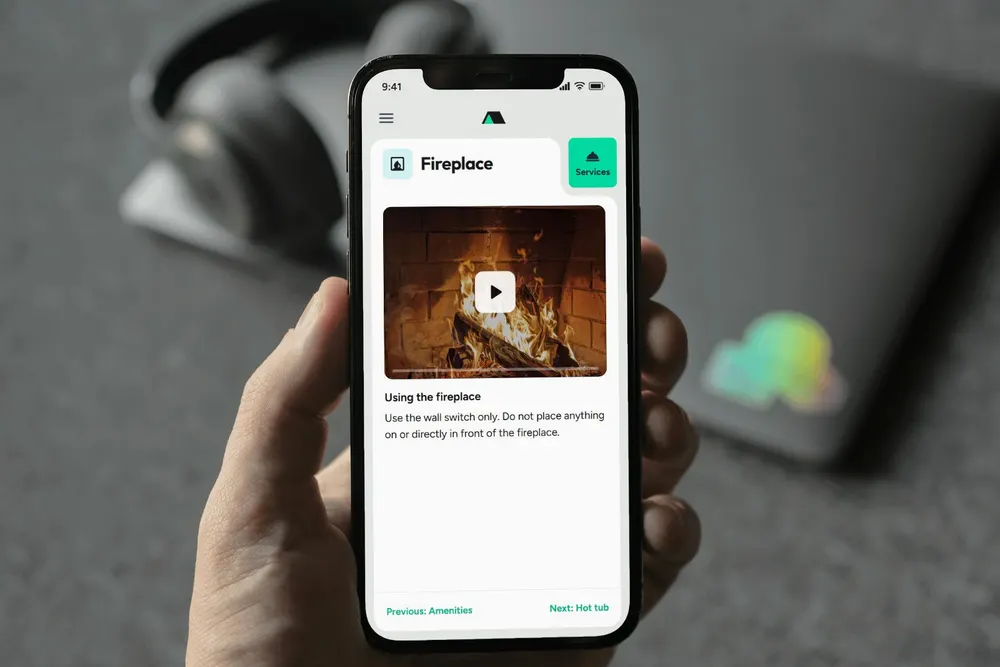
Digital guest manual
Build it online with videos and extras, and share it as a link or QR code.
Print it anytime.
StayPerk does, for free: one digital guest manual and printable Welcome Book for your rental. Share it as a link, QR code or PDF.
Free to create · No app for guests · No credit card
It answers the questions guests keep asking, shows how things work, and sells the extras they want.
Check-in steps, Wi-Fi, parking, house rules, checkout and local tips live behind one link or QR code, with door codes kept in a private section. Guests find what they need without texting you.
Open the sample manualFilm half a minute on the hot tub, the fireplace or the tricky lock. Guests watch it in the manual, right when they need it.
How the digital manual worksOffer early check-in, late checkout, firewood or a welcome basket. Guests add them to a cart and pay by card, and you get paid out.
Add-on ideas that sellBoth are free. Start with the one you need.
Print it anytime.
Build it online with videos and extras, and share it as a link or QR code.
Print it anytime.
Make it digital anytime.
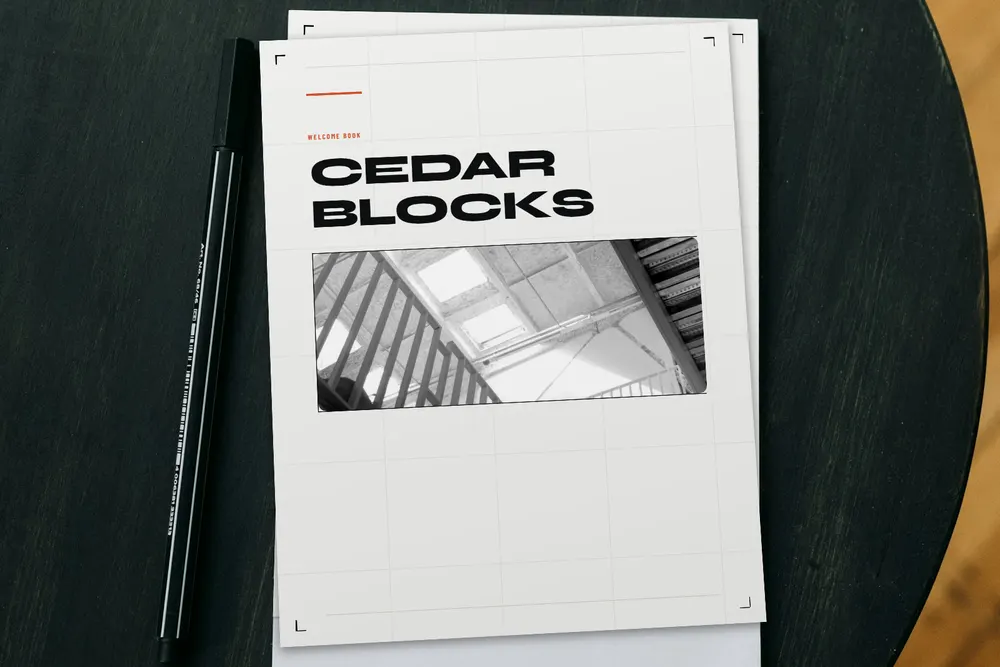
Pick one of 16 designs, fill it in and print a ready-made PDF.
Make it digital anytime.
Already have a manual? Send it and we rebuild it as a digital manual, free
Fill in pre-built fields for check-in, Wi-Fi, parking, house rules and checkout to customize your manual quickly. Start from scratch or from your old PDF; you don't need an account to start.
Film short how-to videos for the hot tub or the tricky lock. List add-ons such as early check-in or firewood at prices you set; guests pay by card in the manual.
Send the link or QR code with your booking message, or print it as a Welcome Book. Guests find answers and book extras, and you get paid out.
Pick your role to see what StayPerk does for you.
Answer guest questions once, in a manual you can share or print. Sell extras like early check-in, and earn a commission when guests book local services.
Offer your own extras, show guests the best local services, and book help for the property, all from the same place.

Extras you provide, paid by card in the manual.
You keep
$45.00
of a $50.00 early check-in. StayPerk's fee is $5.00, and StayPerk pays the card fee.

Nearby businesses your guests can book from the manual.
You earn
$5.00
when a guest books a $100.00 kayak rental from your manual.

Help for the rental itself, from providers you connect with.
One place
Book, follow and pay for help at the rental where you already handle guest orders.
Amounts at the rates from November 1, 2026.
StayPerk connects the guest, the host, the property manager and a local service provider. Follow one $100.00 kayak rental from the manual to the payout.
Cedar Blocks lists Peninsula Paddle Co.'s kayak rental beside check-in and Wi-Fi.
A $100.00 kayak rental, paid by card in the manual. No app to install.
Peninsula Paddle Co. gets the booking and brings the kayaks to the rental.
Provider $80.00, host $5.00, property manager $5.00. StayPerk keeps $10.00 and pays the card fee.
Amounts at the rates from November 1, 2026, with a property manager on the booking.
Who earns whatBuild, share and print for free. When a guest pays through StayPerk, a small fee comes out of the seller's share.
To build and share
$0
No monthly fee and no credit card. Guests never pay to open a manual.
Rates from November 1, 2026. Guests never pay extra.
A fee only when money moves
It comes out of the seller's share. The bar is what the seller keeps.
Invoices paid by card
Seller keeps about 97%
No fee
A manager bills a host
Seller keeps about 92%
5% + card fee
A guest buys your add-on
Seller keeps 90%
10%
A guest buys a manager's add-on
Seller keeps 90%
10%
You book a provider
Seller keeps 90%
10%
A guest books a local service
Seller keeps 80%
20%
Many rentals juggle a guidebook app, payment links and a list of vendors. Here is what StayPerk does for each job.
Pick a topic. The answers are short, and the details link to the full pages.
Still have a question?
Search the Help Center, or write to us and a person will reply.
StayPerk lets hosts create free printable Welcome Books, guest signs, and digital guest manuals for short-term rentals. Hosts and property managers can share check-in details, Wi-Fi, parking, house rules, short video guides, and other stay information with guests.
Digital manuals also support videos and optional paid add-ons or local services where available. Use either format on its own or reuse supported guest information between them.
No. Guests open the manual from a link or QR code in their browser. There is nothing to download or install.
No. You can start building and previewing your guest manual before creating an account.
When you are ready to save and publish it with a permanent guest link, you can create your StayPerk account.
Yes. Start with the format you need today. Create a printable Welcome Book and guest signs, or a digital manual guests open by link. You can reuse supported guest information to create the other version later. Review each version before sharing; later edits do not automatically update the other format.
Yes. If you already have a PDF, document, welcome book, or existing guest manual, you can upload it to StayPerk and convert it into a digital guest manual.
Yes. Printable Welcome Books, guest signs, digital guest manuals, and guest/manual QR codes are free. There is no monthly subscription, and guests do not pay just to view the manual.
Fees apply only when certain paid transactions take place through StayPerk.
StayPerk does not charge you for creating a manual, sharing it with guests, or having guests view it.
A fee applies only when money is paid through StayPerk, and it comes out of the seller's share. From November 1, 2026: guest bookings of a service provider's service 20% (5% goes to the host and 5% to the property manager, when there is one); a guest buying a host's or property manager's add-on 10%; a host or property manager booking a service provider 10%; a property manager billing a host for a service 5% plus the card fee; invoices no StayPerk fee, only the card fee. StayPerk pays the card fees in the first three cases. Fees come from the price before tax.
Not yet. Your digital guest manual can still be created and used regardless of whether local providers are available.
Third-party service availability depends on the property's location and participating service providers in that area.
Build your guest manual for free and preview it as your guests will see it, before you create an account.
Free to create · No app for guests · No credit card


